AI CREATIVE • SOCIAL PUBLISHING

From idea or screenshot to a published social campaign.

Generate a new campaign from a brief or reconstruct an existing creative into editable layers. Refine it with curated AI tools, customize every detail, and publish — all from one PostBrush workspace.

Start withScreenshot
or
Describe itChat prompt|
PostBrush canvasAutosaved
Layers+
⋮⋮Headline
⋮⋮Product
⋮⋮Badge
⋮⋮Background
Summer sale|
T
100%
CalendarAug
Scheduled9 platforms
Upload a screenshot or describe a post in chat. PostBrush creates an editable canvas with movable layers and AI tools, then schedules the finished post across nine social platforms.

TWO WAYS TO BEGIN

Start with an idea — or something that inspired you.

Both paths lead into the same editable PostBrush workspace. Choose the one that matches how you work.

01 · Generate

Have an idea? Describe it.

Tell PostBrush about your product, promotion, audience, and visual direction. Add optional reference images and generate editable campaign directions in the format you need.

Generate a campaign from one text promptOne text prompt becomes three poster directions that can be published directly or optionally polished on the canvas first.Your ideaone text promptPoster 1Poster 2Poster 3Publishor schedulePolish on canvasoptional refinement

AI Poster Generator

Start from a brief
02 · Remix

Found a direction you like? Rebuild it.

Upload an ad screenshot or flattened creative. Choose whether PostBrush should reconstruct its text, graphics, shapes, background — or all of them — into editable layers.

Remix a screenshot into an editable campaignA flat screenshot is reconstructed into editable layers, customized with a new brand logo and product image, and then published or scheduled.Screenshotflat imageTEXTIMAGELayersSHAPEBGCustomize for your brandreplace logo + product imagePublishor schedule

Whichever way you begin, everything continues in the same editable PostBrush workspace.

AI POSTER GENERATOR

Starting with an idea instead of a screenshot?

Describe your product, offer, audience, and visual direction. Add reference images when you have them. PostBrush generates multiple creative directions that you can open, edit, and develop into a complete campaign.

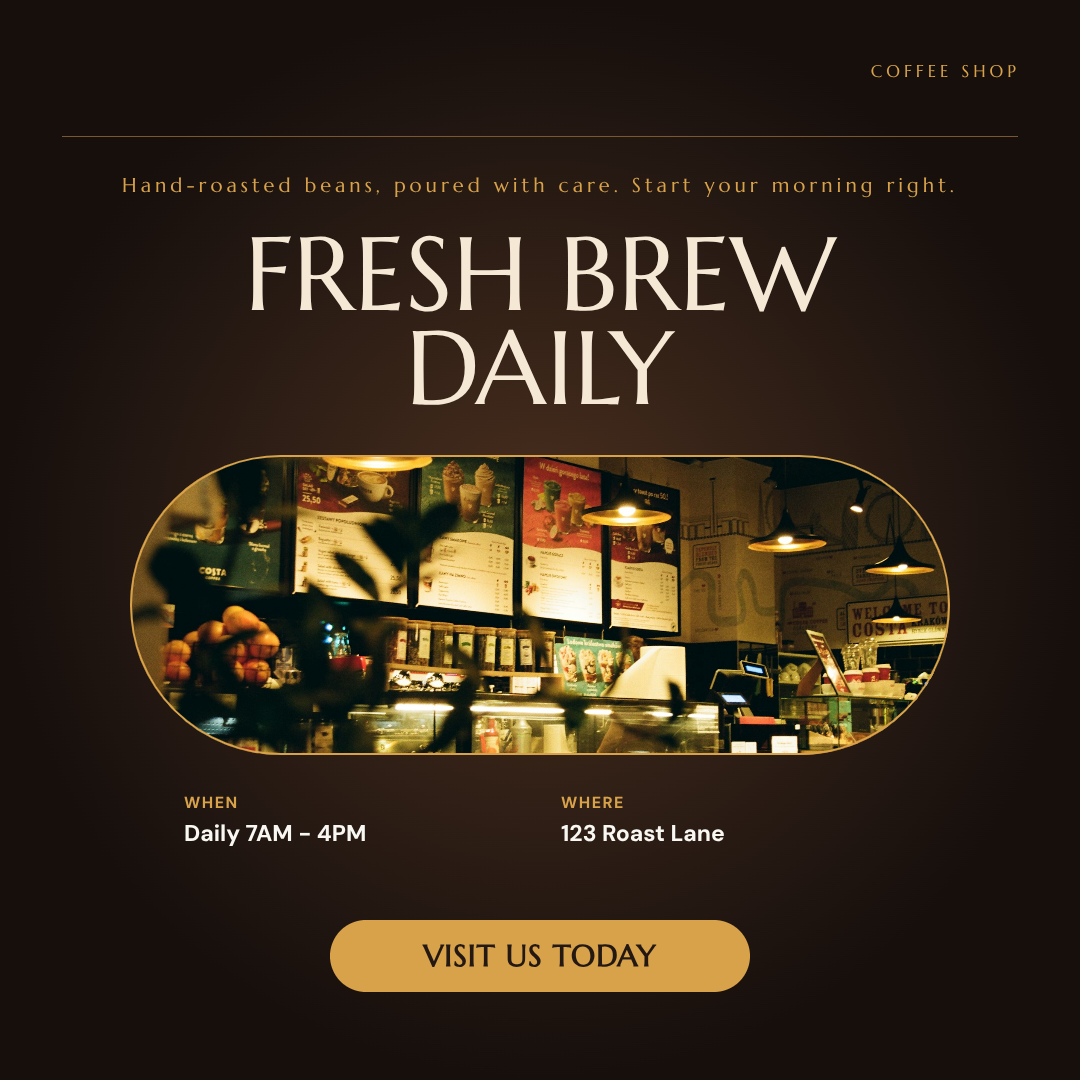
Dark editorial coffee-shop campaign direction promoting fresh daily brews
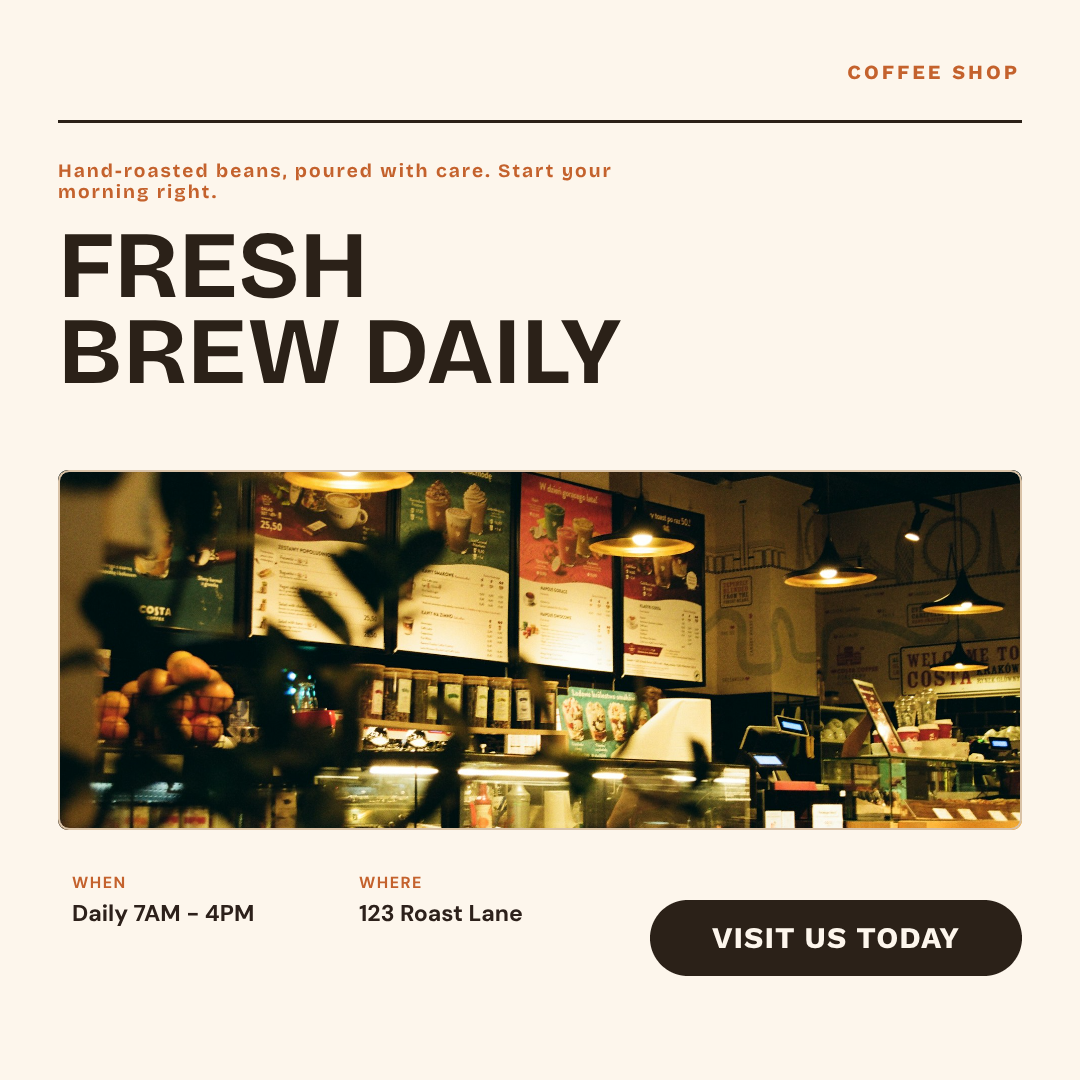
Light minimal coffee-shop campaign direction promoting fresh daily brews
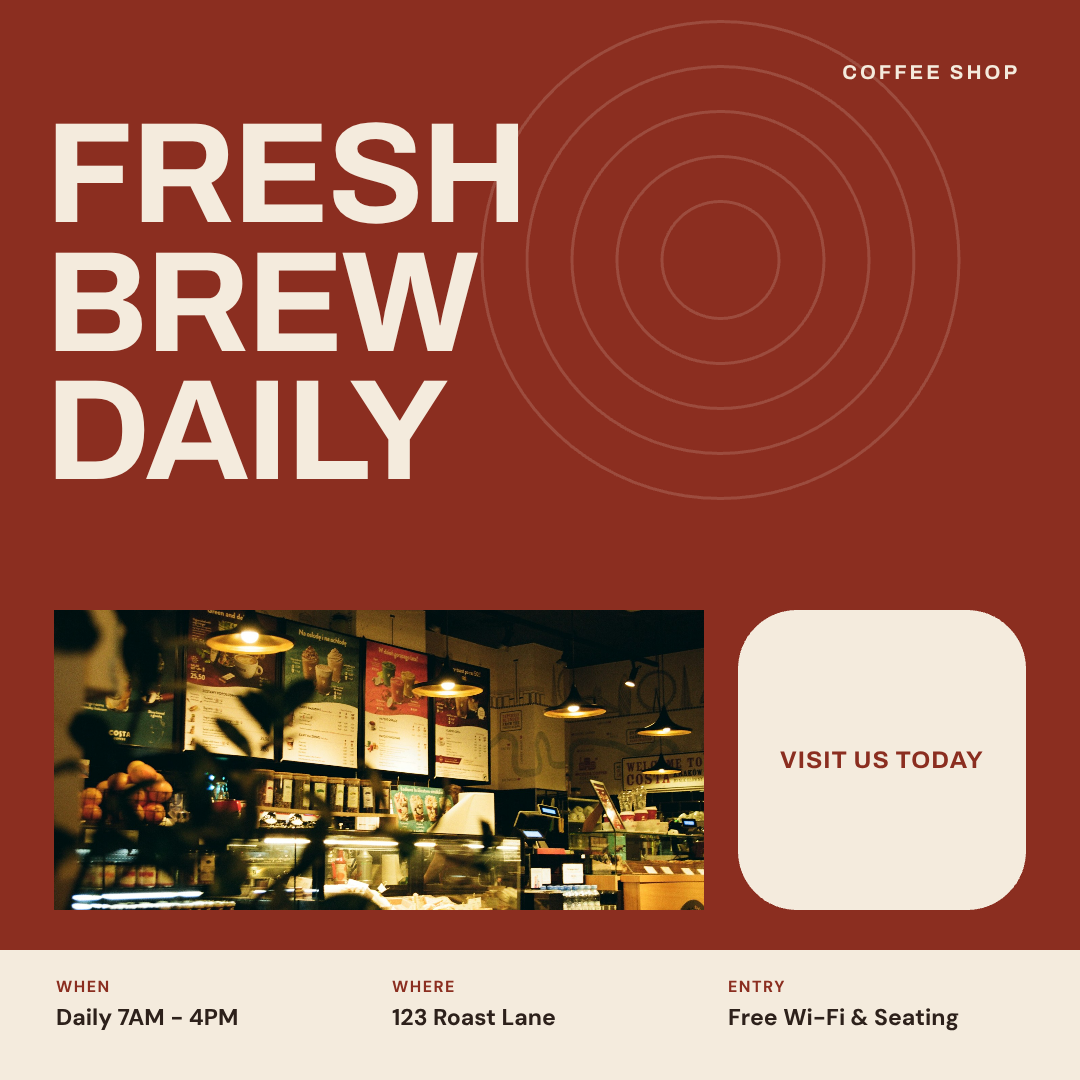
Terracotta geometric coffee-shop campaign direction promoting fresh daily brews

AD REMIX

Stop rebuilding ads from scratch.

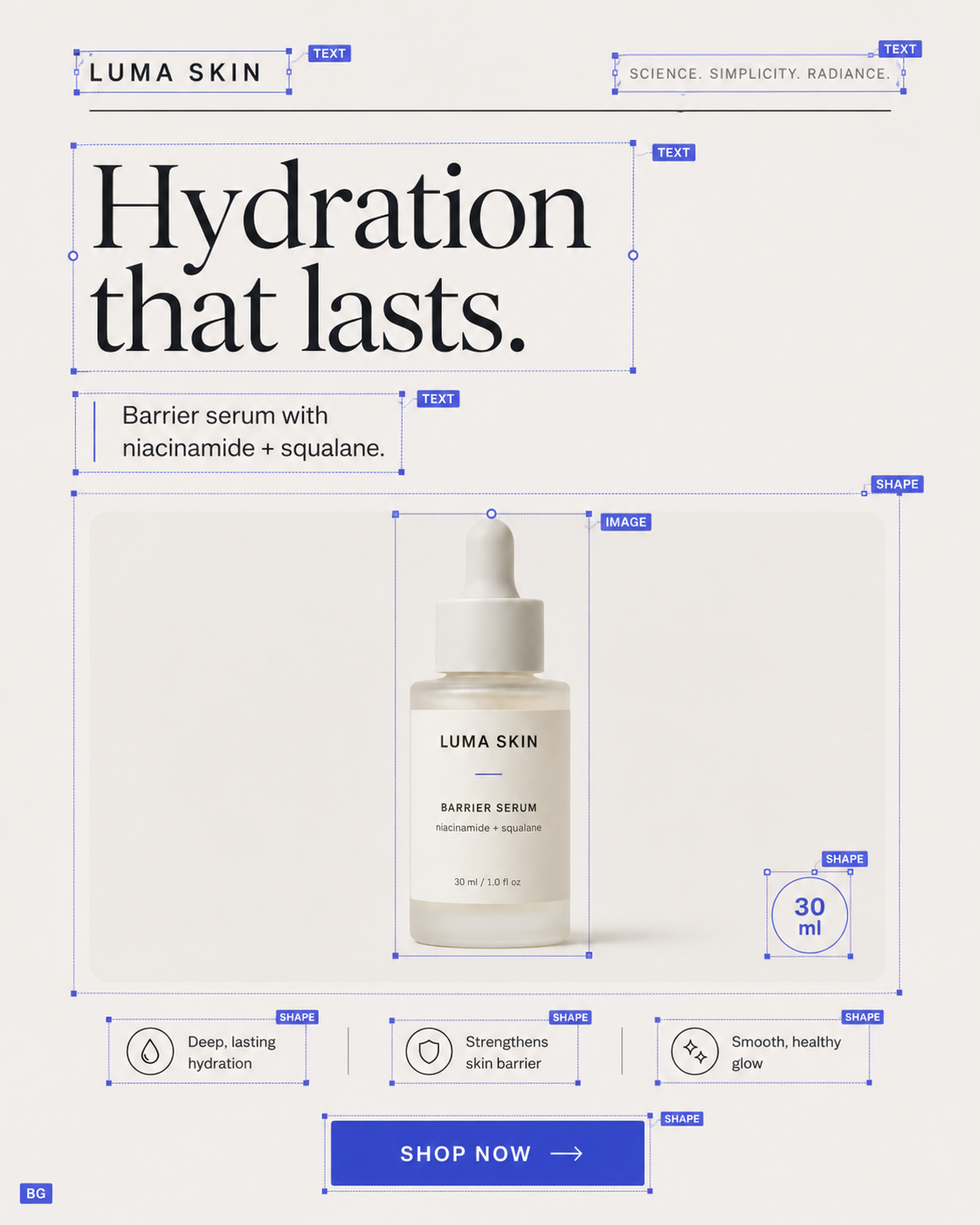
Not just a style reference — a reconstruction. PostBrush analyzes the source and rebuilds the selected parts as separate layers you can inspect, move, replace, restyle, or remove.

01

Recover editable text

Extract visible copy, match its placement and styling, then change the words, font, size, color, alignment, and spacing.

02

Separate visual elements

Turn product imagery, photos, logos, and foreground graphics into independently movable or replaceable assets.

03

Rebuild backgrounds and shapes

Reconstruct backgrounds, cards, buttons, circles, rectangles, lines, and other structural elements.

04

Choose what to keep

Select the background, text, graphics, or shapes you want PostBrush to reconstruct before processing begins.

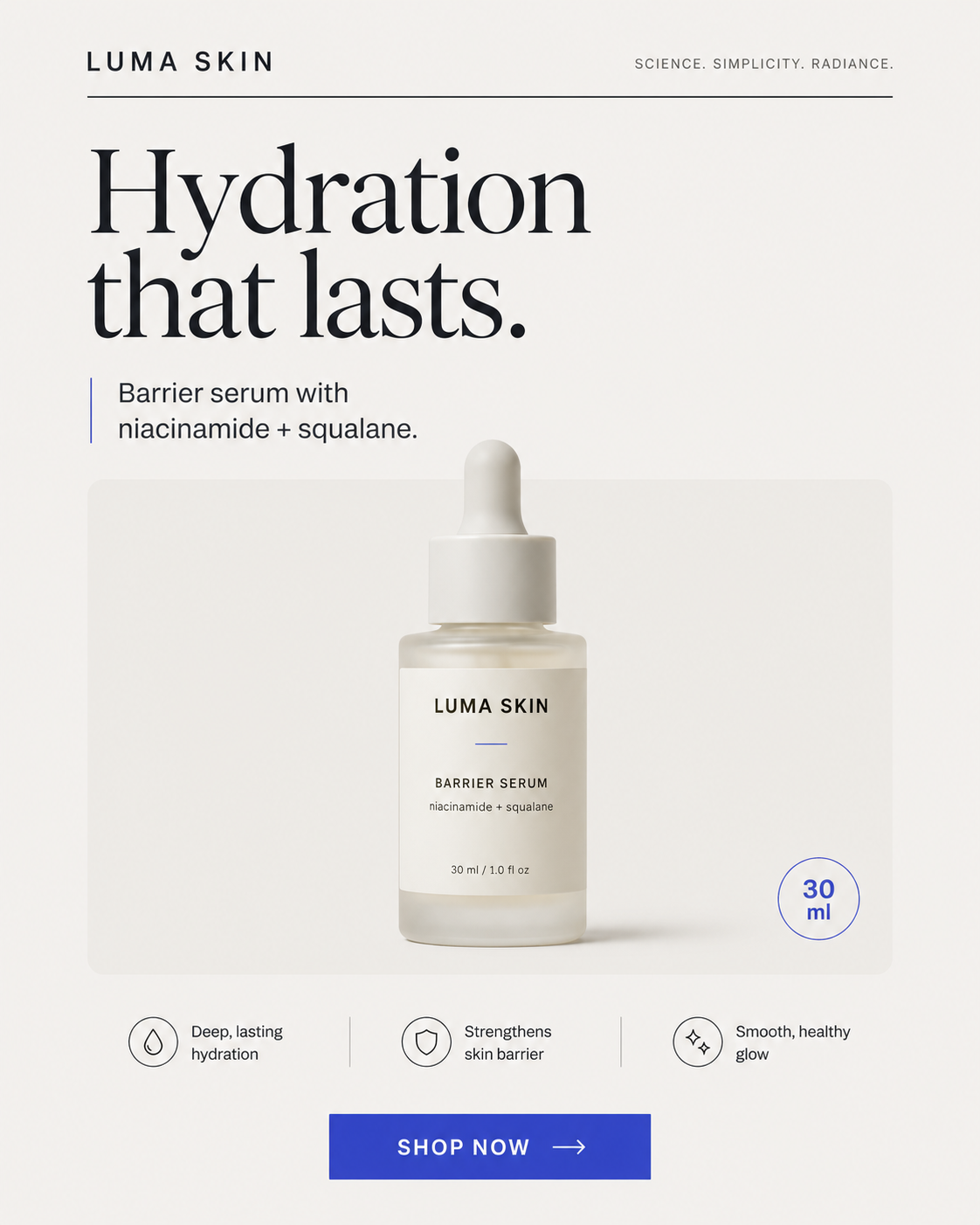
Original Luma Skin hydration serum advertisement

Source inspiration

A flattened screenshot with no editable elements.

Luma Skin advertisement reconstructed into editable text, image, shape, and background layers

Reconstructed by PostBrush

Text, background, shapes, and imagery separated into layers.

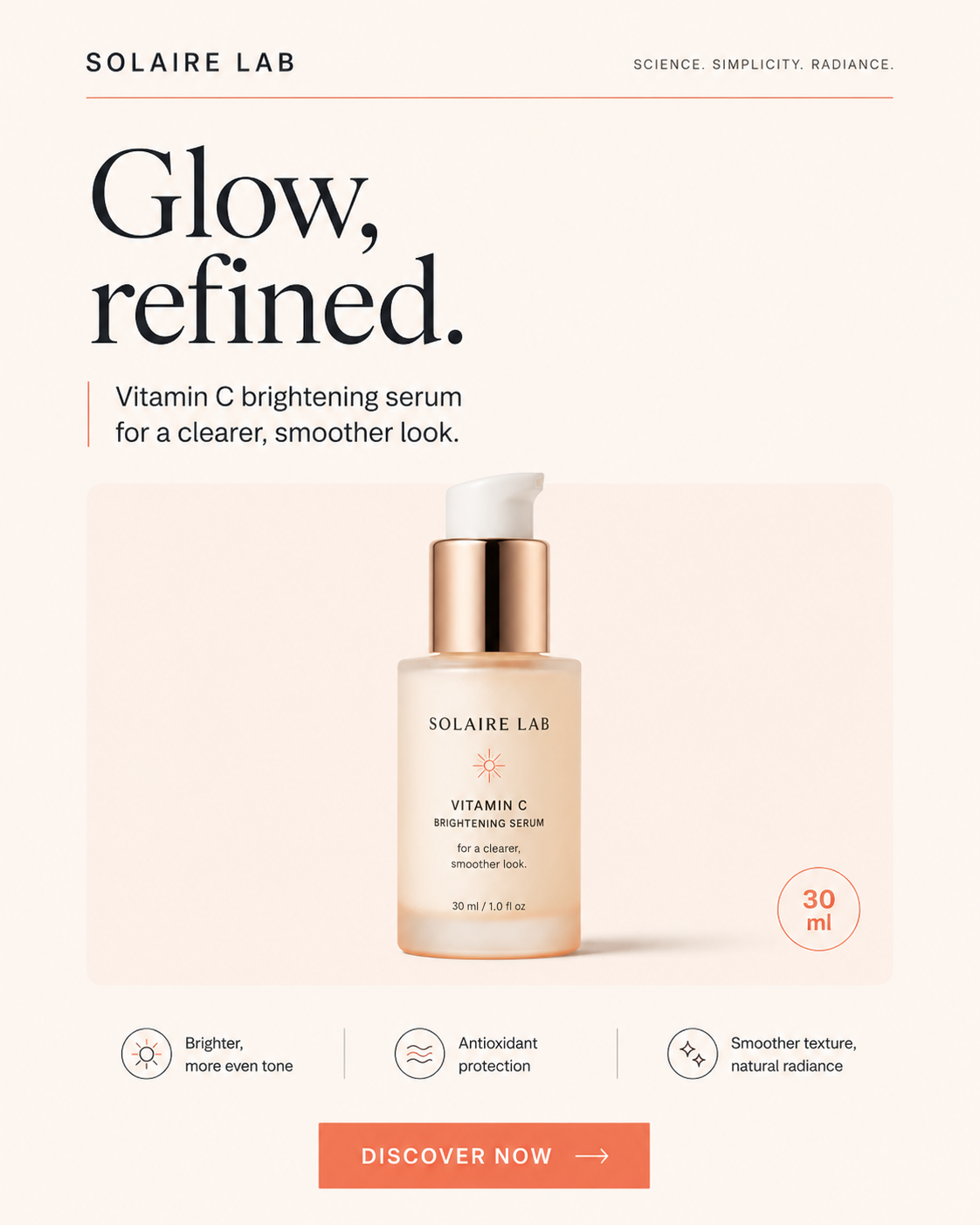
Reconstructed advertisement restyled as a Solaire Lab vitamin C serum campaign

Restyled for your brand

New logo, offer, colors, product imagery, and CTA.

One source becomes an editable design — not another flat image.

Save the idea. Rebuild the useful parts. Make it unmistakably yours.

A REAL DESIGN EDITOR

AI creates the starting point. You control the finished campaign.

AI shouldn't force you to accept a finished image or regenerate everything because one detail is wrong. Everything on the canvas stays yours to move, rewrite, or undo, and a curated set of AI tools lives right in it, so you're never bouncing to a separate app for the rest.

Remove background

Add an object

Create variations

Generate AI images

AI speed when you need it. Hands-on control when it matters.

SOCIAL PUBLISHER

When the campaign looks right, send it.

Connect your social accounts, choose where the campaign should appear, add your caption, and publish immediately or schedule it for later — all from the same workspace where the creative was made.

COMPOSER

Post preview thumbnail
InstagramFacebookTikTokYouTubeLinkedInPinterestXThreadsBluesky

Content calendar

August 2026

MTWTFSS
1
2
3
4
5
6
7
8
9
10
11
12
13
14
15
16
17
18
19

Manage connected accounts

Connect personal, brand, or client accounts and choose destinations per post.

Track delivery

See which posts are scheduled, publishing, published, or unsuccessful.

Manage upcoming content

Review scheduled posts, update timing, and keep the campaign organized.

No downloading. No renaming files. No opening a second publishing tool.

CUSTOMER STORIES

What people are saying

We used to brief a designer for every small offer change. Now we screenshot an ad we like, rebuild it in PostBrush, and publish the same afternoon.

Maya Chen

Founder, Bloom Skincare

The reconstruction is the part that sold me. It pulls a flattened screenshot apart into real layers I can edit, not another image I have to work around.

Daniel Okafor

Social Media Manager, Northwind

I manage five client accounts. One idea becomes feed, Story, and LinkedIn versions, scheduled, without ever leaving the tool.

Priya Sharma

Freelance Content Strategist

SIMPLE PRICING

Choose the workflow that fits your publishing pace.

Most popular

Lite

For individuals creating and publishing social content.

$10/month

Billed monthly

Get Started
  • 50 successful AI poster generations each month
  • 25 background removals each month
  • Up to 10 connected social accounts
  • Unlimited local editing
  • Social scheduling and publishing
  • Bulk video scheduling
  • Up to 1,000 successful account deliveries under fair use
  • Human support

Pro

For brands publishing consistently.

$29/month

Billed monthly

Get Started
  • Everything in Lite
  • Access to all AI tools
  • Remix any flat image
  • Unlimited background removal

Frequently asked questions

What is included in the 7-day trial?

The 7-day trial includes:

  • 10 AI poster generations
  • 3 background removals
  • 100 account deliveries
  • Up to 10 connected accounts

Billing starts automatically after the 7-day trial unless you cancel. Customers may convert early, and the full paid allowance begins after the first successful payment. Allowances reset monthly, including annual subscriptions. Unused allowances do not roll over, and failed deliveries do not reduce the successful-delivery allowance.

Which platforms can I publish to?

Instagram, Facebook, TikTok, YouTube, LinkedIn, Pinterest, X, Threads, and Bluesky. You can connect multiple accounts per platform and choose destinations for each post.

Will every screenshot be reconstructed perfectly?

Reconstruction quality depends on the source image — resolution, layout complexity, and how the original file was flattened all play a role. PostBrush rebuilds what it can identify and lets you review every layer before you rely on it, so anything that doesn't come through exactly as expected is easy to fix.

Can I export without publishing?

Yes. You can export your finished design as an image file without connecting or publishing to any social account.

Does PostBrush store my social media passwords?

No. Accounts are connected through each platform’s official authorization flow, so PostBrush never sees or stores your login credentials.

Is it legal to remix another advertisement?

You're responsible for making sure you have the rights to any source material you upload. PostBrush is a tool for rebuilding and restyling assets you own or are licensed to use — not for copying someone else's brand or protected creative work.

Your next campaign can start with an idea or a screenshot.

Generate something new or remix something that inspired you. Make every layer yours, adapt it for every channel, and publish from one workspace.